Stuck on a Legacy ERP? Here's What Changes When You Finally Modernize
At its core, legacy modernization means moving your business off outdated tools, like spreadsheet-based reports or an older enterprise resource planning (ERP) system, and onto one connected, often cloud-based platform.
5 minutes

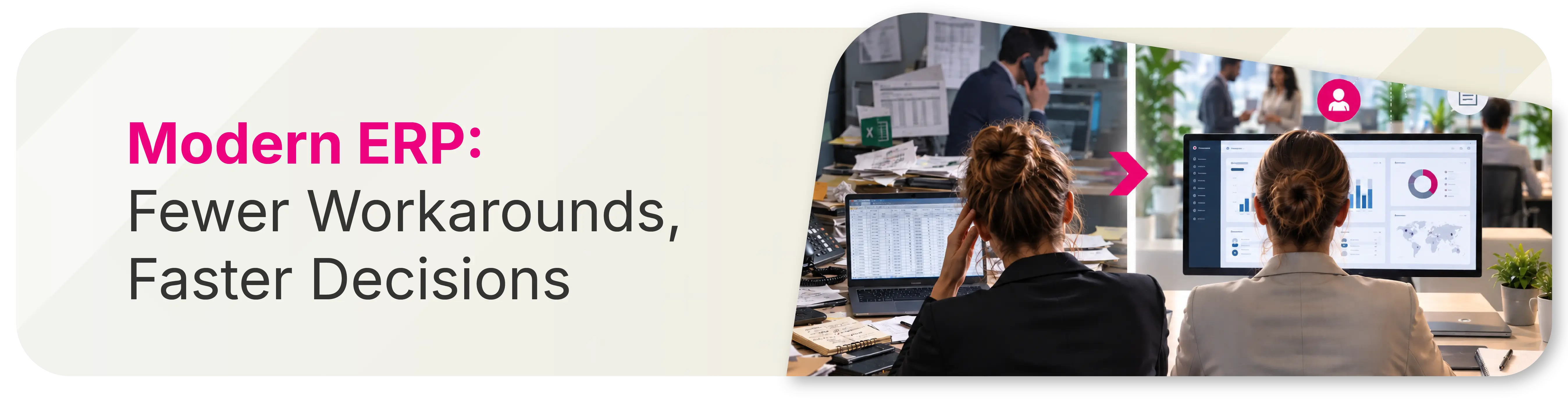
Legacy ERP systems and modern ones don't just look different on a screen. They produce different outcomes, for different people, in ways that rarely come up in a sales demo. The features matter less than what inefficiencies they remove from someone's day: an unnecessary phone call, a report that must be rebuilt from scratch, or a customer forced to wait on hold.
What Is Legacy Modernization?
Legacy software requires manual exports, re-keying, and cross-team follow-up, whereas modern ERPs update in real-time and bring all that data together in one place. It's less about adding new capabilities and more about removing the small, constant friction that legacy systems build into every task.
Ask a purchasing manager how their morning went and you'll learn more about their ERP system than any product page could tell you. Did they walk the warehouse to manually check inventory, or open one screen and see it immediately? Did a shortage catch them off guard, or did the system flag it three days earlier?
What It Means for Your Business
Everyday improvements show up everywhere across the business once modernization is done well:
- Fewer clicks, fewer exports, fewer spreadsheets holding the "real" numbers
- More visibility without more manual effort to get it
- Workflows that match and enhance how people actually work
- Insights that enable immediate action instead of just sitting in a report
- More confidence in decisions because the data behind them is current and traceable
Cybersecurity considerations
Security is another added benefit of modernization. Legacy systems were built for a different threat environment. As technology evolves, older platforms become harder to patch, slower to receive updates and increasingly exposed to vulnerabilities that modern cloud-based systems are architected to prevent. A breach or ransomware event on an outdated system is more than an IT problem – it’s an operational shutdown. That risk should be a significant consideration in the modernization conversation and may even warrant its own deep dive.
Change Is Only Half the Work
Everything above is about the workflow and security side of modernization: what should be different once the system catches up to how your team actually operates. The other half is execution, getting your team from the legacy version to the modern version without six months of disruption or a workforce that quietly resents the new tool. That part comes down to the partner guiding the transition and the change management plan behind it, which we cover in our companion guide on choosing an ERP implementation partner.
Frequently Asked Questions
What is ERP modernization?
ERP modernization means moving daily workflows off an outdated, disconnected system and onto one platform where data, reports, and tasks live together. It's less about new features and more about removing the manual work, exporting, re-keying, walking across a building, that legacy systems require just to get a simple answer.
What's the real difference between a legacy ERP and a modern ERP?
A legacy ERP usually requires separate reports, manual exports, and cross-team follow-up to build a complete picture. A modern ERP brings that same information into one connected, often real-time view, with the ability to drill into the transaction behind any number.
Are legacy ERP systems a cybersecurty risk?
Yes. Legacy systems were built for a different threat environment and tend to receive fewer security updates over time, which leaves known vulnerabilities unpatched and harder to defend. Modern cloud-based ERP platforms are built to current security standards, receive regular updates and are maintained by teams whose job is keeping pace with an evolving threat landscape. For businesses handling customer data, financial records or supply chain information, the security risk of a legacy system grows as the system ages.
Which roles benefit most from ERP modernization?
Finance, purchasing, executive, delivery, warehouse, and sales roles tend to see the most noticeable day-to-day change, since they rely on the ERP for decisions that happen constantly throughout the day rather than occasionally.
How fast do teams feel the difference after modernizing?
Most people notice a change within the first few weeks of regular use. The fuller benefit, fewer manual workarounds and faster decisions, tends to build over the following months as workflows settle into the new system.
Do you have to replace your entire ERP to modernize these workflows?
Not always. Some of these gains come from modernizing specific modules or workflows rather than a full system replacement, though a fully connected platform tends to produce the clearest results across every role.
See the Full Day-by-Day Comparison
Our full legacy migration guide walks through the complete before-and-after for key roles (including finance, purchasing, executive, delivery, warehouse, and sales). Discover the reports, tasks, and daily friction points that disappear once a modern, connected system replaces an outdated one.
Download the free guide: A Day in the Life With Modern Workflows
Contributors

Share
Related resources

Choosing a new ERP system is one of the highest-stakes decisions an operations leader makes. Beyond just selecting software, you're choosing the team that will guide your entire organization through a fundamental change in how it works. And the research is clear on one point: the software itself is rarely what makes or breaks the outcome.