Skip to content
Skip to main content
ERP

A practical guide for businesses that buy, stock and sell

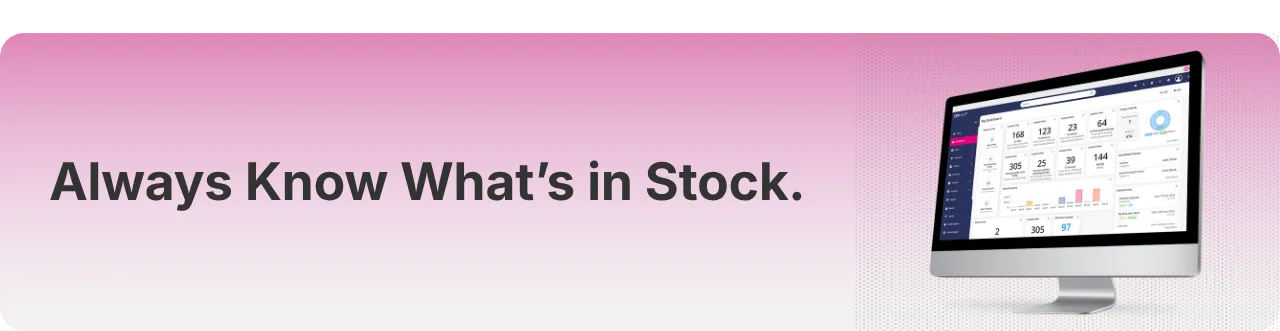
Inventory Control: Always know what's in stock. Get real-time visibility of stock levels, committed quantities, and backorders.

Back to the blog

Always Know What's in Stock.-May-27-2026-01-59-20-8886-PMThe growing challenge of a stock and order business

Most trade and distribution businesses start the same way. You build the business on hard work, customer relationships and a set of tools that are good enough to get you going; spreadsheets, a POS system, maybe a standalone accounting package. For a while, that's enough.

But as order volumes grow, product ranges expand and customer expectations rise, those same tools start working against you. Stock data lives in three different places. Invoices go out late. Your team spends hours reconciling information that should already be connected. And you, as the owner, find yourself making decisions based on gut feel rather than reliable data.

This article is for businesses at that inflection point, where the old way of working is still technically functioning, but the cracks are starting to show. It covers the most common operational challenges facing growing trade businesses and explains specifically how ERP Go can help.

Part 1: Inventory Control

No more guesswork. Know exactly what you have in stock

Stock and inventory sit at the heart of every trade and distribution business. Get it right and everything else becomes easier; orders go out on time, customers stay happy and purchasing decisions are based on fact rather than instinct. Get it wrong and the consequences ripple across the business: running out of stock, holding too much stock, incorrect orders and untold hours lost to manual checking.

For many growing businesses, the problem isn't a lack of effort, it's a lack of connected information. When stock data lives across spreadsheets, a POS system and someone's memory, accuracy is virtually impossible to maintain at any real scale. This isn't just a stock issue, it impacts purchasing, sales and fulfilment across the entire business.  

ERP Go solves this by giving you a single, real-time view of stock across your entire operation, from goods received to goods dispatched.

Where businesses struggle with inventory control:

I never really know what stock I have unless I physically go and check."

How ERP Go helps: Get real-time stock availability across all products and locations. Stock levels update automatically as orders are placed, goods are received and deliveries go out. You always have an accurate picture without leaving your desk.

I keep running out of stock before I realise I need to reorder."

How ERP Go helps: Set minimum and maximum stock levels and reorder points per product. When stock drops below your threshold, the system flags it immediately, turning replenishment from a reactive scramble into a proactive, managed process.

I have cash tied up in stock I can't seem to shift."

How ERP Go helps: Stock transaction history and purchasing reports surface slow-moving lines and buying patterns. You can see at-a-glance which products are sitting idle and make smarter buying decisions based on real data rather than gut feel.

I don't have a clear view of what's been ordered versus what's actually arrived."

How ERP Go helps: Track purchase orders and goods receipt in one place, so you always know what's been ordered, what's on the way and what has arrived.

Inventory control:

Key capabilities:

  • Real-time stock availability view.
  • Backorder overview & tracking.
  • Serialised products and non-stock item support.
  • Min/max stock levels and reorder point alerts.
  • Purchase order management with goods receipt.
  • Back-to-back purchase orders.
  • Stock transactions and full history log.
  • Multiple depot support & depot transfers.

ERP Go users typically see:

  • A reliable, real-time view of stock without manual checking.
  • Fewer stockouts and less cash tied up in slow-moving inventory.
  • More confident purchasing decisions based on accurate data.
  • Complete visibility of inbound stock from order to goods receipt.

See how ERP Go connects purchasing, stock, orders, invoicing and reporting in one system:


Part 2:
 Replacing spreadsheets and manual processes
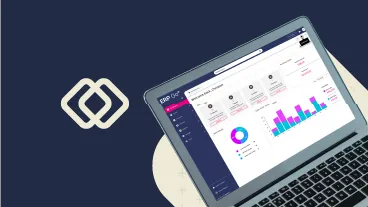
Reports - Desktop - ERP Go Next Gen

One connected ERP system for inventory, orders and invoicing.

Spreadsheets are where most stock and order businesses start, and for good reason. They're flexible, familiar and cheap. But there's a point in every growing business where the spreadsheet stops being a tool and starts being a liability. Data lives in multiple files that are never quite in sync. Updates get missed. Reconciling information becomes a daily task.

The deeper problem is that spreadsheets create a dependency on individuals rather than systems. When operational knowledge lives in files on someone's laptop or in their head, the business becomes fragile.

ERP Go is a cloud-based ERP system for inventory, orders, and invoicing that replaces spreadsheets with one connected platform.

Where businesses struggle without connected systems:

I run my business on spreadsheets and other standalone tools."

How ERP Go helps: ERP Go replaces disconnected tools with one system for stock, orders, purchasing, invoicing and reporting. Information is entered once and flows automatically across the business, so there's no need to maintain separate records or chase updates across platforms.

We don't trust the data, so we end up having to double check everything."

How ERP Go helps: When stock, pricing, warehouse activity and invoicing are all connected within ERP Go, records stay accurate without manual verification. Teams can act on the information in front of them with confidence because it reflects what's actually happening in the business. 

My invoicing & stock data never seem to match; I waste hours trying to reconcile them."

How ERP Go helps: Because ERP Go manages stock, sales, invoicing and payments within one system, reports draw from a single consistent source. What you see in your dashboard matches your accounting platform, no reconciliation required.

Managing supplier orders and goods-in is a mess."

How ERP Go helps: ERP Go stores all orders, stock records and customer data in the system rather than with individuals. The cloud-based platform means owners and team members can access everything from a phone, tablet or laptop, whether they're in the warehouse, on the road or working remotely.

Replacing spreadsheets and manual processes:

Key capabilities:

  • Data import / export for quick set up.
  • Preconfigured workflows ready from day one.
  • Single connected system for stock, orders and invoicing.
  • Cloud-based - works on mobile, tablet & desktop.
  • Configurable roles & permissions.
  • Customisable dashboard with shortcut links.
  • Orders entered once flow through to delivery and invoicing.
  • Daily Digest email and fulfilment insights.

ERP Go users typically see:

  • A single source of operational truth across the whole business.
  • Significant reduction in time spent on manual admin and reconciliation.
  • Processes that work whether the owner is in the office or not.
  • Teams that trust the data in front of them and act on it with confidence.


Part 3:
 Sales, pricing and margin

Know exactly where you're making money.

Pricing complexity is one of the most common and quietly costly challenges in trade distribution. Customer-specific deals, volume discounts, fluctuating supplier costs and multiple product lines all make it easy to lose sight of margin at the order level. Many business owners price based on experience and instinct, only to discover at month end that certain customers or product lines aren't delivering the returns they assumed.

ERP Go gives you full visibility of cost margin at every level of the business; by order, by line, by customer, by product, with a flexible pricing engine that applies the right price automatically at the point of order. This connects directly to how stock, sales and purchasing decisions are managed across the business. No manual calculations, no spreadsheet lookups, no pricing errors.

Where businesses struggle with sales, pricing and margin:

I don't really know if I'm making money on each product or customer."

How ERP Go helps: ERP Go shows cost margin by order and by line item, giving you clear visibility of which products and customers deliver the strongest returns. Combined with supplier cost tracking and purchase pricing, you always have the numbers needed to price confidently and negotiate effectively.

Managing different prices for different customers is getting complicated." 

How ERP Go helps: ERP Go supports customer-specific pricing, pricing categories, discount and markup categories, volume-based pricing and surcharges. The right price is applied automatically at the point of order, reducing pricing errors and eliminating the disputes that inevitably follow them.

I spend my weekend updating spreadsheets instead of planning for the week ahead."

How ERP Go helps: ERP Go replaces the manual pricing and margin work that eats into your time outside of business hours. With cost margin visible by order and line, customer-specific pricing applied automatically and supplier costs tracked in the system, the numbers you need are always there when you need them, no spreadsheets required.

I find myself manually copying the same order information into three different places."

How ERP Go helps: With ERP Go, an order is entered once and flows automatically through to inventory, delivery, invoicing and reporting. There's no re-entering data across separate systems; no transcription errors and no time wasted on steps that should be automatic.

Sales, pricing and margin:

Key capabilities:

  • Cost margin visible by order and line item.
  • Volume-based pricing and discount categories.
  • Supplier cost tracking and purchase pricing.
  • General ledger and revenue group management.
  • Customer-specific pricing and surcharges.
  • Markup categories and non-discountable products.
  • Integrations: Xero, QuickBooks, Sage and Exact.
  • Multi-currency with exchange rate groups.

ERP Go users typically see:

  • Clear visibility of margin by product, customer and order.
  • Correct pricing applied automatically at the point of order.
  • Fewer billing disputes and pricing errors.
  • Smarter supplier negotiations backed by accurate cost data.


Part 4: Invoicing and getting paid
Invoices - Desktop - ERP Go Next Gen v4

Invoice faster. Get paid quicker. Chase less.

For trade and distribution business owners, the gap between completing an order and getting paid for it is often bigger than it needs to be. Invoices go out late because raising them is a manual process. Customers dispute amounts because pricing and delivery information isn't properly connected. And chasing outstanding payments becomes a weekly task that eats into time that should be spent on the business, especially during busy periods when it becomes a manual and time-consuming process.

ERP Go connects the entire invoicing and payments process within a single system. Invoices are created directly from confirmed orders, sent in bulk, and tracked through real-time dashboards that make it immediately clear what's been paid, what's outstanding and what's overdue.

Where businesses struggle with invoicing and getting paid:

I send invoices out late and then have to chase customers who say they have never received them."

How ERP Go helps: ERP Go creates invoices directly from confirmed sales orders and enables bulk email sending with automatic attachments. Unpaid and overdue invoice dashboards give you an immediate view of what's outstanding, so chasing payments becomes timely and targeted rather than reactive.

My customers get invoiced for the wrong amounts, and it always causes disputes."

How ERP Go helps: As pricing, delivery and invoicing are all managed within ERP Go, invoices are generated from confirmed orders with the correct prices already applied. Billing errors are significantly reduced because the system handles the connection between what was ordered, what was delivered and what gets charged.

My customers want to pay by card or bank transfer."

How ERP Go helps: ERP Go integrates with Klipboard Money, giving customers a straightforward way to pay by link, or card directly from their invoice, with no separate payment provider required. Payments are automatically reconciled against the relevant invoice in real time, removing manual matching entirely.

Invoicing:

Key capabilities:

  • Invoices created directly from sales orders.
  • Unpaid and overdue invoice dashboards.
  • Automatic payment reconciliation in real time.
  • Draft invoices and invoice batches.
  • Bulk invoice runs with email and CSV export.
  • Klipboard Money: pay by link and card.
  • Credit notes and quick credit against invoices.
  • Accounting sync: Xero, QuickBooks, Sage, Exact.

ERP Go users typically see:

  • Invoices raised and sent faster, directly from confirmed orders.
  • Fewer billing disputes thanks to connected pricing and delivery data.
  • Customers able to pay immediately by link, QR code or card.
  • A real-time view of what's been paid, what's outstanding and what's overdue.


Tired of chasing payments and juggling spreadsheets? Klipboard Money connects payments directly to your business, so you can reduce admin, get paid faster, and always know exactly where your money stands. Watch our short video to learn more:


Part 5: Deliveries and proof of delivery 

From pick to drop-off, every delivery under control.

For trade and distribution businesses, fulfilment is where operational accuracy is tested every single day. A wrong item picked, a delivery disputed, a late order untracked; these aren't just frustrating, they damage the customer relationships that the business depends on. Yet fulfilment is an area that most general business software either ignores entirely or handles as an afterthought.

ERP Go was built for trade and distribution businesses managing complex fulfilment operations. The entire fulfilment workflow, from picklist generation to digital proof of delivery, is managed within the ERP Go platform, giving owners and warehouse teams the visibility and tools they need to fulfil accurately and efficiently every day.

 Where businesses struggle with deliveries and POD:

Customers dispute whether their delivery arrived, and I have no way to prove it."

How ERP Go helps: ERP Go captures customer signatures and delivery photos directly on the delivery note at the point of drop-off. Proof of delivery is recorded digitally in real time, protecting the business in any dispute and giving customers confidence that their orders are being handled professionally.

I can never tell which orders are running late or are still outstanding for delivery."

How ERP Go helps: ERP Go's late delivery view and order fulfilment insights give owners an immediate view of what is due, overdue or partially fulfilled. Picklists, auto-pick and batch pick options keep the warehouse moving efficiently even on the busiest days.

Processing customer returns is messy; it always leads to stock discrepancies and credit note headaches."

How ERP Go helps: ERP Go manages sales returns end to end, including returns to a different depot. When a return is processed, stock levels update automatically and a credit note can be raised directly against the original invoice, keeping records clean and customers satisfied.

ERP Go improves delivery accuracy, provides real-time visibility and captures digital proof of delivery to help businesses reduce disputes and manage fulfilment efficiently.

Deliveries and proof of delivery:

Key capabilities:

  • Picklists, auto-pick and batch pick options.
  • Delivery photos at point of drop-off.
  • Partial delivery management.
  • Sales returns inc. returns to different depot.
  • Mobile driver seat with signature capture.
  • Late delivery view and fulfilment insights.
  • Multiple depot support and depot transfers.
  • Delivery method management and delivery notes.

ERP Go users typically see:

  • Digital proof of delivery that removes disputes and protects the business.
  • Immediate visibility of what's due, overdue or partially fulfilled.
  • A faster, more accurate pick and dispatch process.
  • Clean, automated stock and credit note management for returns.


Part 6: Easy set-up, intuitive interface and reporting  

Simple to set up. Easy to use. Built to deliver.

Often, the biggest barrier to adopting new software isn't cost, it's the fear of disruption. A system that takes weeks or months to implement, requires someone with specialist IT knowledge and leaves the team confused isn't a solution, it's just a new problem. And once you're up and running, a system that can't tell you what's happening in the business without hours of manual reporting doesn't really solve the visibility challenge either.

ERP Go is designed to get trade and distribution businesses up and running quickly, without the need for any technical expertise. Pre-configured ERP workflows mean most businesses are processing orders, managing stock and sending invoices within days of signing up. And once live, a customisable dashboard and built-in reporting give owners the real-time insight they need to make confident decisions every day, without ever opening a spreadsheet.

The system was straightforward to get up and running, and we were able to start using it quickly. We can also see how the system works seamlessly with our accounting platform, while bringing stock control, purchasing, quoting and invoicing into one place."

Ian Hopcutt, Managing Director, CMH Automation Limited

 Where businesses typically struggle:

I tried another system and it took forever to get set up, and my team still couldn't use it!"

How ERP Go helps: ERP Go comes pre-configured for stock-and-order businesses and is designed to be intuitive from day one. There's no IT infrastructure required, no lengthy onboarding and no specialist consultants needed. Most businesses are processing orders and managing stock within days, not weeks or months.

I looked at other systems before but was put off by the cost and how long they take to implement."

How ERP Go helps: ERP Go is an affordable cloud-based platform purpose-built specifically for trade and distribution businesses. It delivers the structure and visibility businesses need and scales as the operation grows.

I make decisions based on gut feel because I can't easily get data out of my current system."

How ERP Go helps: ERP Go's customisable dashboard and pre-built reports give owners instant visibility of stock performance, sales trends, outstanding invoices and margin by product or customer. The Daily Digest email delivers a summary of what matters every morning, so every decision is backed by real data rather than instinct.

I need something I can use from my phone when I'm out visiting suppliers or customers."

How ERP Go helps: ERP Go runs entirely in the cloud and works on mobile, tablet and desktop. Owners can check stock, create quotes, view invoices and manage orders from anywhere, giving full visibility and control of the business whether they're in the office, in the warehouse or on the road.

Easy set-up, intuitive interface and reporting:

Key capabilities:

  • Pre-configured workflows ready from day one.
  • Cloud deployment, no IT infrastructure required.
  • Works on mobile, tablet and desktop.
  • Customisable user dashboard with shortcut links.
  • Pre-built reports across stock, sales and invoicing.
  • Daily Digest email with key operational summary.
  • Data import and export for quick setup.
  • Scales from small to multi-user teams.

ERP Go users typically see:

  • Quick onboarding, getting up and running within days.
  • A team that can use the system confidently from day one.
  • Real-time visibility of the business without manual reporting.
  • The insight to make faster, more confident decisions every day.


Similar posts

Want to learn what we can do for your business?