How Leading Distributors Are Simplifying Their Day-to-Day in 2026
Read real examples of how these small UK&I distributors saved hours, gained better stock visibility and answer customers queries faster.
Select your Industry
Select your sector:
ERP Products for Wholesale Distribution
Select a product:
ERP Products for Rental
Select a product:
ERP Products for Automotive
Select a product:
ERP Products for Manufacturing
Select a product:
ERP Products for Retail
Select a product:
Sector Specific ePOS Solutions
Select your sector:
ePOS Products for Wholesale Distribution
Select a product:
ePOS Products for Automotive
Select a product:
ePOS Products for Retail
Select a product:
Sector Specific Finance Management Solutions
Select your sector:
Finance Management Products for Wholesale Distribution
Select a product:
Finance Management Products for Retail
Select a product:
Finance Management Products for Automotive
Select a product:
Finance Management Products for Manufacturing
Select a product:
Sector Specific Warehouse Management Solutions
Select your sector:
Warehouse Management Products for Wholesale Distribution
Select a product:
Warehouse Management Products for Automotive
Select a product:
Warehouse Management Products for Manufacturing
Select a product:
Transport Solution Products
Select a product:
Mobile App Solutions
Select a product:
Select your sector:
A guide for hire businesses that have outgrown spreadsheets and legacy software. Manage your equipment and assets with confidence, speed and accuracy.

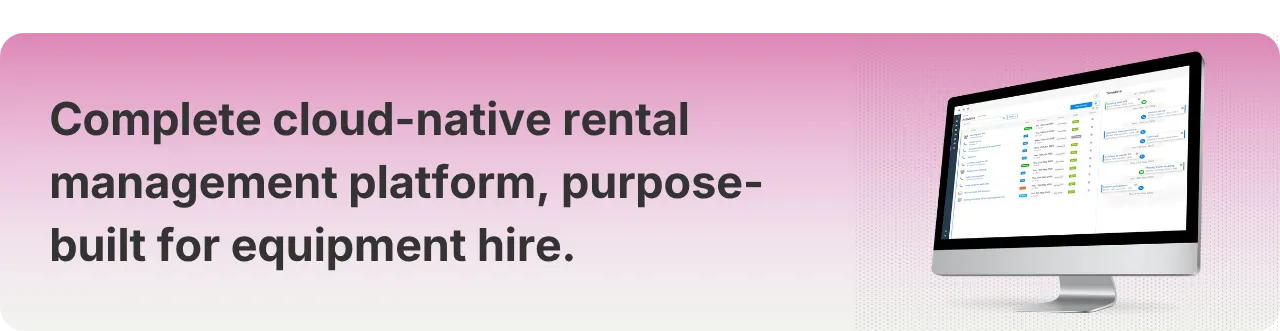
OnRent Go is purpose-built for equipment hire. Whether you run a single-depot tool hire operation or manage a multi-depot plant and access fleet, the challenges that slow hire businesses down are broadly the same: missed revenue, idle equipment, paper trails, and systems never designed for rental.
The Challenge:
Most hire businesses start the same way. You build the operation on hard work, customer relationships, and tools that are good enough to get you going: spreadsheets, a whiteboard in the yard, maybe a standalone accounting package. For a while, that's enough.
But there comes a point where the tools that helped you build the business start getting in the way of growing it. Equipment gets double-booked because availability lives in a spreadsheet nobody keeps fully up to date. Invoices go out late because raising them is a manual process disconnected from what happened on the job. Maintenance gets dealt with when something breaks rather than before it does. Hire rates live in someone's head rather than the system, so nobody is entirely sure what the agreed price is for a given customer, causing uncertainty, inconsistency and questions that slow everything down. And when someone tries to check availability, they get three different answers depending on who they ask and which screen they look at.
Sometimes the frustration is even more immediate than that. The equipment is in the yard. You can see it. It's ready to go. But the system says it's unavailable and nobody knows why. You just want to create a contract and get the equipment out of the door, but the system is in the way.
For businesses already running on a generic ERP, the frustration is different but just as real: a platform requiring expensive workarounds for basic hire workflows, poor visibility across sites, or a system so deeply embedded in old infrastructure that changing anything feels like dismantling the business itself.
In both cases the cost is the same: revenue that doesn't get billed, equipment that sits idle, and a team spending unnecessary time on admin instead of customers.
One Connected System:
If you've ever re-entered the same job into three different places, chased a driver for a delivery update that should already be in the system, or finished the month knowing you probably didn't bill everything you should have: an extension that wasn't captured, damage that got missed, a surcharge that never made it onto the invoice; you already know the cost of running a hire business on tools that don't talk to each other.
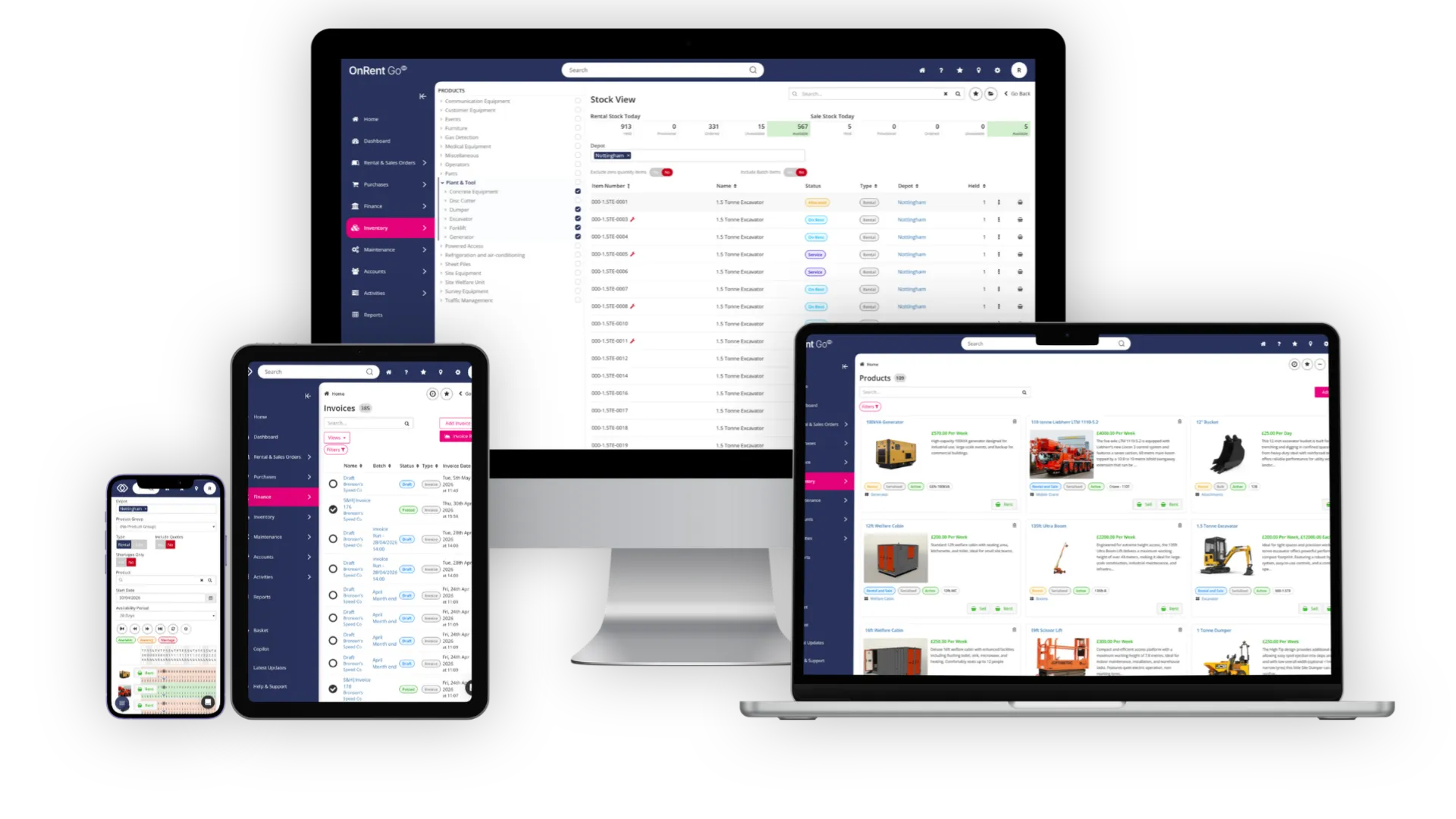
The problem isn't effort. It's architecture. Spreadsheets, standalone accounting tools, and generic ERPs were not designed for how a hire business actually works. Your team ends up bridging the gaps manually, every day. OnRent Go is built differently. The entire rental cycle: from first enquiry through to final invoice: runs in one connected system. When a job is booked, availability updates. When equipment goes out, the delivery record is there. When it comes back, the invoice is ready.
We're running everything on spreadsheets. We double-book equipment, invoices go out late and we have no idea which assets are profitable." Owner, tool hire business.
How OnRent Go helps: OnRent Go replaces spreadsheets with a single connected system. Quotes, bookings, availability, maintenance, and invoicing all in one place. Your team can be up and running in days with self-service onboarding and straightforward data migration. No lengthy implementation, no IT project.
We use a generic system, but it doesn't understand how rental works. It's costly to customise and we still can't use it properly." Operations Manager, plant & machinery hire.
How OnRent Go helps: OnRent Go is built specifically for equipment hire, not adapted from a generic business system. It understands rental contracts, hire periods, equipment availability cycles, damage waivers, surcharges, meter-based billing, and maintenance compliance out of the box. Easy to implement, easy to use, no customisation required.
We use different systems for payments, deliveries, and accounts. Nothing talks to anything else. Every time something changes, someone updates everything manually." Managing Director, equipment hire & sales.
How OnRent Go helps: OnRent Go replaces this patchwork with rental-specific capability in a single platform: CRM, order processing, inventory, invoicing, payments, logistics, and workshop management all part of the same system. Where external integrations are needed: Xero, QuickBooks Online, Sage Business Cloud, Sage 50, Exact Online and multiple other ERP & accounting applications for finance; Klipboard Money for payments.
Our rental system has been in place for over 5 years. The vendor is winding down development; support is getting harder to access and we know we need to move. But the last time we implemented a new system it took the best part of a year, and cost far more than we budgeted for. We can't afford to go through that again." Operations Director, multi-depot plant hire.
How OnRent Go helps: OnRent Go is cloud-native and browser-based: there's no on-premises infrastructure to commission, secure, or support, and no servers to replace. Go-live is measured in days and weeks, not months. The platform is designed for self-service, data migration is straightforward, and because it's purpose-built for rental, the system understands hire workflows from day one, without the customisation that legacy implementations typically require.
Equipment Availability:
You've probably had the call. A customer rings to confirm their delivery and you're suddenly checking three separate places to find out whether the machine is available, where it is, and whether it's been serviced since it came back. By the time you have the answer, the moment already feels unprofessional.
Availability uncertainty costs contracts, causes double-bookings, and leaves equipment sitting idle that should be out earning. OnRent Go gives everyone in the business: hire desk, yard, drivers, and management: the same live view of every asset. What's on hire, what's due back, what's in the workshop, and what's ready to go.
We've double-booked equipment because someone hadn't updated the system. We had to call the customer and tell them their kit wasn't available." Hire Desk Manager, tool hire.
How OnRent Go helps: OnRent Go eliminates double bookings with a single live availability record every team member works from in real time. When an asset is reserved, it's immediately reflected across the system. The availability calendar shows what's on hire, what's due back, and what's ready, so your hire desk can confirm jobs with confidence.
I know we have equipment sitting in the yard that should be earning money, but I have no clear picture of what's idle or what I should be buying more of versus selling off." Owner, plant & machinery hire.
How OnRent Go helps: OnRent Go's availability dashboards and asset ROI reports give a live view of utilisation across the entire fleet. Identify chronically idle assets: the dumper running at 34% utilisation versus the telehandler at 87%; and use data rather than instinct to make fleet investment decisions. Klipboard AI surfaces utilisation signals and flags underperforming assets automatically.
We have multiple depots but no single picture of what's happening across the operation. Getting a group view means pulling data from multiple places manually." Regional Operations Manager, multi-depot powered access & lifting.
How OnRent Go helps: OnRent Go gives multi-depot operations a single live view of fleet availability, utilisation, and performance across every site from one screen. Equipment status, hire activity, and maintenance schedules are visible at depot level and rolled up to group level in real time. Standardised workflows mean every site operates consistently.
We have asset tracking but it sits completely separate from our rental system. We have location data, but it doesn't connect to the job or tell us what's actually happening with the asset." Fleet Manager, construction equipment hire.
How OnRent Go helps: Klipboard Asset Tracking connects directly with OnRent Go, bringing location and usage hours into the same view as hire status, availability and service history. When an asset comes off hire, its location is confirmed. When usage hours are captured, servicing is triggered at the right point rather than by a calendar estimate. And when a customer queries what happened to a machine on their site, the data is there. For businesses using meter-based charging, usage hours fed directly from the telematics provider mean excess use is captured accurately and billed without relying on manual readings that are often late, estimated or missing. Asset tracking stops being a separate report and starts being part of how the operation runs.
Invoicing & Revenue
Most hire businesses know they're not billing everything they should be. The draft invoice that went out without anyone checking it properly. The damage photographed on return that never made it onto a charge. The off-rent date called in but recorded a day late. None of it feels significant in the moment. At the end of the month, it adds up.
OnRent Go raises invoices directly from rental orders, so what happened on the job is what gets billed. Surcharges: damage waiver, cleaning charges, fuel levies, delivery fees: are configured once and applied automatically on every relevant order. Minimum rental periods and extensions are calculated automatically. Damage charges are captured at the point of return inspection. Batch invoice runs mean billing stays current rather than weeks behind.
With direct integration into Xero, QuickBooks Online, Sage Business Cloud, Sage 50, and Exact Online and multiple other ERP & accounting applications, what's billed and what's received are always in sync. And with Klipboard Money built in, customers can pay via card terminal, Pay by Link, or stored card token.
But connection alone isn't enough. In most rental systems, once a process has moved forward it's difficult or impossible to go back. A mistake at the booking stage creates a workaround at the invoicing stage. A return processed incorrectly requires a call to support. Teams learn to live with errors rather than correct them, because correcting them is harder than carrying on.
OnRent Go is built around the principle that flexibility and data integrity go together. With the right permissions, any step in the rental lifecycle can be revisited and corrected: a booking amended, a return reversed, an invoice adjusted. The workflow guides the team forward but never traps them. For businesses where one person does everything, that freedom is immediate. For larger operations with defined roles and responsibilities, permissions can be set to ensure changes are made by the right people at the right stage, with a full audit trail of what changed and when.
Damage charges are missed, draft invoices sit in a queue without anyone reviewing them, and our invoicing is always at least a week behind." Finance Manager, tool & small equipment hire.
How ERP Go helps: OnRent Go closes the billing gaps. Invoices raise directly from rental orders. Batch invoice runs triggered in clicks. Minimum rental periods, extension charges, and damage charges applied automatically. Surcharges for damage waiver, cleaning, and fuel levy configured once and applied on every relevant order. No manual additions, no missed revenue.
We lose money every month on damage that never makes it onto an invoice. By the time equipment comes back, nobody can remember what condition it was in when it left." Managing Director, plant hire.
How ERP Go helps: OnRent Go captures condition at every stage: pre-delivery inspection checklists with photos, digital signatures at dispatch and return, and a full audit trail per job. Damage charges can be raised directly from the return inspection before the equipment leaves the yard, while the evidence is fresh and undisputable.
We're doing more hires than last year, but revenue hasn't grown as much as we'd expect." Owner, equipment hire.
How ERP Go helps: When hire volume grows but revenue doesn't keep pace, the gap is found in the same places: extras that never made it onto an invoice, damage charges missed, or off-rent dates not recorded accurately. Finance teams are often at the end of a long chain of operational decisions, inheriting records they didn't create and errors they didn't make. OnRent Go gives finance the visibility and control to review draft invoices before they go out, make corrections without disrupting the operational or contractual record, and close the billing cycle with confidence that what's been invoiced accurately reflects what happened on the job.
Customers aren't always coming back. Slow quotes, equipment issues, invoicing errors. It all adds up." General Manager, powered access hire.
How ERP Go helps: OnRent Go improves customer experience at every billing touchpoint. Invoices are accurate because they originate directly from the rental record. Quotes go out faster because pricing is consistent and live. Professional invoice layouts with clear charge breakdowns reduce disputes. Automated SMS notifications keep customers updated throughout their hire.
Tired of chasing payments and juggling spreadsheets? Klipboard Money connects payments directly to your business,
so you can reduce admin, get paid faster, and always know exactly where your money stands. Watch our short video to learn more:
Equipment Maintenance
& Compliance
A machine that fails an inspection doesn't just sit in the yard; it creates a gap in your hire schedule, a difficult conversation with a customer, and, in powered access, lifting, and plant hire, a compliance paper trail that you don't want to be on the wrong side of.
The businesses that stay ahead of compliance aren't doing anything heroic. They have systems that flag what's due before it becomes a problem, store certificates against each asset, and make sure nothing goes out that isn't ready.
OnRent Go builds all that in. Service schedules set by hours, distance, or calendar days. LOLER inspections, PSSR test certificates, and PDI checklists stored against each asset. Automated reminders before equipment is due, not after it fails.
When Klipboard Asset Tracking is connected, meter hours are updated automatically at regular intervals directly from the telematics provider, rather than relying on a customer reporting a reading or an engineer visiting site to check. Servicing schedules stay current without manual data entry, equipment is serviced when it needs to be, and for businesses charging for excess use, accurate meter data means that excess usage is captured and billed without the gaps that manual readings typically leave.
We had an inspection scare last month. We couldn't find the LOLER certificate for one of our platforms. Our maintenance tracking is still mostly paper-based." Owner, powered access & lifting hire.
How OnRent Go helps: OnRent Go stores test certificates, LOLER inspection records, and compliance documents against each individual asset, accessible instantly from any device. Automated service reminders flag what's due before it becomes a compliance issue. Custom pre-delivery and return inspection checklists capture data with photos and a full audit trail. When the inspector arrives, you're ready.
A significant portion of our fleet is regularly out of service. We find out about maintenance issues when something breaks down on site, not before." Operations Manager, plant hire.
How OnRent Go helps: OnRent Go schedules maintenance proactively, by hours, distance, or calendar days, and triggers automatic reminders. For powered plant and generators, meter-based servicing triggers a works order when the threshold is reached, not when a driver calls to say the machine has stopped. When Klipboard Asset Tracking is connected, meter hours update automatically from the telematics provider rather than waiting for a manual reading, so servicing schedules always reflect actual usage. Service history, costs, and downtime are tracked per asset, so patterns that predict failure become visible before the breakdown happens.
Logistics & Field Teams
Ask any hire desk how many times a day they get a call from a driver asking where they're going next, or from a yard team member trying to find out what needs to go out tomorrow. Ask any driver how long it takes to get paperwork back to the office after delivery. These are symptoms of a team working from different information in different places.
When your drivers, yard staff, and field technicians have the same live picture as everyone else, on whatever device they have in their hand; the calls stop. Jobs are assigned and visible. Deliveries are confirmed with a signature and a photo, there and then. The office knows what's happening in the field without having to chase it. OnRent Go is fully mobile-responsive and works on any device, anywhere. No separate app to install. One platform that works the same way whether you're at the hire desk, in the yard, or out on the road.
Customers dispute whether their delivery arrived, and I have no way to prove it." Hire Desk Supervisor, tool hire.
How OnRent Go helps: OnRent Go captures customer signatures and condition photos directly at the point of drop-off. The signed delivery note, photos, and timestamp are recorded digitally in real time and stored against the order. Proof of delivery is immediate, searchable, and legally defensible, protecting the business in any dispute.
Our drivers are constantly calling the office to find out where they're going next, and our yard team has no idea what needs to go out when." Transport Manager, equipment hire.
How OnRent Go helps: OnRent Go's mobile-first platform gives every team member what they need, wherever they are. Drivers see assigned jobs and navigate to sites using integrated Google Maps. Yard staff see equipment status in real time. Field teams capture signatures and photos without returning to the office. Automated SMS notifications keep customers updated on deliveries without any manual effort.
We have a large field workforce: drivers, yard teams, technicians. Jobs are communicated by phone, proof of delivery is paper-based, and the office has no live updates from the field." Operations Director, multi-depot plant hire.
How OnRent Go helps: OnRent Go is fully mobile-responsive on any device. Drivers see their jobs, navigate to sites, and capture digital proof of delivery from their phone or tablet. Workshop technicians have live visibility of works orders and maintenance schedules. The office has a real-time picture of what's happening in the field without relying on phone calls. At scale, the reduction in communication overhead and error rate compounds across every job, every day.
Reporting & Business Intelligence
Most hire operators have a rough sense of how the business is performing. They know which customers are busy, which assets seem to go out regularly, and approximately where revenue is coming from. The problem is that rough sense isn't the same as reliable data; and when decisions about fleet investment, pricing, or resources are made on instinct rather than evidence, the gaps tend to be expensive.
OnRent Go delivers live dashboards and rental-specific reports built around the metrics that matter in hire: utilisation by asset and depot, asset ROI, revenue performance, and customer activity. Every figure is drillable, from a headline number down to the individual job, asset, or customer behind it. Because the data is live, decisions are made on what's really happening in the business, not on last week's export.
I make decisions based on gut feel because I can't easily get data out of my current system." Owner, tool & equipment hire.
How OnRent Go helps: OnRent Go's customisable dashboards and pre-built reports give owners instant visibility of utilisation performance, asset ROI, outstanding invoices, and revenue trends. The Daily Digest email delivers a summary every morning, putting the numbers in front of the right people before the working day begins..
Leadership is making decisions about fleet investment and depot performance without reliable data. We end up exporting data to spreadsheets and building our own analysis." Operations Director, multi-depot plant hire.
How OnRent Go helps: OnRent Go delivers live dashboards and advanced rental-specific reporting across the entire operation. Drill-down from group level to individual asset, customer, or job means the data behind every headline figure is always accessible. Custom task views are configurable by role, allowing businesses to segregate work by area of responsibility and create a joined-up workflow where everyone sees what they need to action, without wading through what they don't. Whether it's the hire desk managing bookings, the workshop handling maintenance, or finance managing billing; each team works from a view built around their part of the operation, without manual exports.
I can't easily see which customers are most profitable, which assets are underperforming, or what's happening with cash flow." Managing Director, equipment hire.
How OnRent Go helps: OnRent Go's live dashboards and reports give owners and managers real-time visibility on revenue, utilisation, and asset ROI. Drill down into any job, customer, or asset from one screen. Customer activity and 360-degree account history surface the accounts worth investing in; and the ones quietly declining.
Klipboard AI
Every hire business runs on questions. What's available this weekend? Which assets are due back tomorrow? Has this customer been invoiced? What's still outstanding on that plant contract? The answers are all in the system, but finding them means navigating screens, running reports, and pulling information together manually.
Klipboard AI is built directly into OnRent Go and works within your live data, your existing workflows, and your user permissions. Ask it a question in plain language and it finds the answer. Ask it to create an order, check availability, pull up a customer account, or prepare an invoice; and it does it. It does not operate outside the boundaries the business has set. Every action respects the approvals, permissions, and process steps already in place.
This is what makes it genuinely useful in a hire operation rather than just impressive in a demo. A hire desk team member can ask in plain language and get a result, not just an answer. A manager can ask what's outstanding and have it actioned, not just surfaced.
For anyone who has ever spent ten minutes finding something that should have taken ten seconds, or completing a task that required navigating four screens when one conversation should have been enough; this is exactly what Klipboard AI is for.
OnRent Go At-a-Glance
When everyone in the business: hire desk, yard, drivers, workshop, and management: is working from the same live picture in a system built specifically for rental, the business runs differently. Decisions get made on data rather than instinct. Revenue gets captured rather than lost. Equipment stays compliant and out on hire rather than sitting in the yard waiting for a certificate nobody can find.
OnRent Go is that system. Purpose-built for equipment hire, cloud-native from the ground up, and designed to be up and running in days rather than months, without the IT overhead, implementation complexity, or customisation costs that have put off too many hire businesses from making the move sooner.
OnRent Go is designed to be seen before it's bought, because once you see it running your hire operation in one connected system, the decision tends to be an easy one.
Read real examples of how these small UK&I distributors saved hours, gained better stock visibility and answer customers queries faster.
Over the past few years, businesses of all sizes have invested heavily in their eCommerce presence. It’s been no different in the Klipboard space....
Operating a Rental business is a constant balancing act. Assets need to be in the right place at the right time. Jobs need to be planned accurately....
Klipboard has customers in some 70 plus countries around the world.
Please select the Klipboard region you would like to visit.